MARKETING MATTERS

LeAnn_border.jpg

There is a new report in your Virtual Office! If you look under My Business you will see a report named Non Active Rep Report. The Non Active Rep Report will help you determine when your team members were last active as a Rep by showing you the Rep Until Date.  If that Rep Until Date is past 60 days, please refer to Policy 2.4 of our Policies and Procedures or click here for Amanda Restivo's PlanNetNOW article from August 4th, 2017.

~ LeAnn Troeckler, Chief Operations Officer


LisaMarie_border.jpg

Happy Friday PlanNet Marketing!

Did you know that in addition to the Virtual Office and the Mobile App, another quick way to find a PlanNet meeting is on the event calendar in the PlanNetNow! blog? If you go to www.plannetnow.com, top of the screen, click on Events. On the next screen you will see a search box on the left, enter the city you are looking for and it will pull up the flyer for that city, as well as the dates and times of the meetings. We hope to see you at a PlanNet event in your area soon!

~ LisaMarie Klinger, Vice President Marketing Administration


CUSTOMER SUPPORT Q&A

Q:  How do I submit updated taxpayer information for my PlanNet Rep account?

A:  In order for PlanNet Marketing to update your tax information, you must submit an updated W-9 form (US Reps) or a W-8BEN form (International Reps) to support@plannetmarketing.com. These forms can be found in your Virtual Office under Virtual Office > Information Center > Resources. Please call us during normal business hours with any questions at 470-443-9330.

~ Sarah Muscarella, Manager of Customer Support


Race to Director - They're On Their Way!

PlanNet Marketing

WHO'S IN THE RACE TO DIRECTOR?

PlanNet Marketing

DIRECTORS IN TRAINING!

Top 10 Directors in Training in the Race,
and on their way to One-Star Director!

1.  Cienia Railey
2.  Stuart & Mona Grandison
3.  Marvin & Ingrid Fordham
4.  Veronica Hodges
5.  Tamara Ford
6.  Veronica & Charlie Scurry
7.  Kymberly Caldwell
8.  Amy Miller & Robert Brubaker
9.  LaTeshia Campbell
10.  Donna Susor


PlanNet Marketing

FOCUSED ON THE FINISH!

Top 10 One-Star Directors with over 200 balanced Active ITAs
Fast Approaching Two-Star Director!

1.  Trudel Scott
2.  Lisa Horsley
3.  Rachel Russell
4.  Tanisha & Andrew Burke
5.  Nathan Newman
6.  Kwanya Martin
7.  Lynn & Marcus Hendricks
8.  Latoya Chin
9.  Eric & Jamila Magee
10.  Calvin Ellerbe


GREAT WORK, TEAM!
LET'S ALL SHOOT FOR THE STARS!

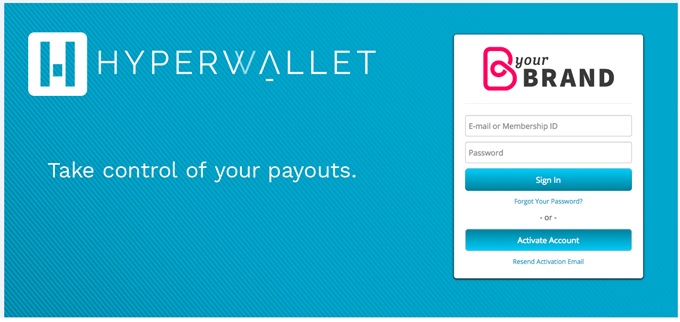
PAYLUTION IS BECOMING HYPERWALLET!

Hyperwallet-graphics.jpg

Did you hear the news? The "Paylution" name is being replaced with "Hyperwallet," giving you access to a new and improved Pay Portal experience. 

It's still the same amazing company and service powering your Pay Portal, just a new name on the website and a few tweaks to give it a new look and feel. The new Pay Portal interface will include an easy-to-use dashboard, intuitive navigation, enhanced mobile-responsive layout, and additional branding elements. 

This will not affect any automated/scheduled transfers to bank accounts or prepaid cards.


WELCOME TO THE 20/20 CLUB WANDA CHILDS!

2020club2.jpg

The PlanNet’s newest 20/20 Club member Wanda Childs was born and raised in the City of Brotherly Love, Philadelphia, PA. In 1994 she relocated to Claymont, DE where she currently resides. Wanda has raised two children and is actively involved in the lives of her grandson and granddaughter. She says that in addition to being a "Glam-Mom,” she is also an avid shoe collector, loves to dance, and loves to make people laugh. When she is not spending time with her family, Wanda's interests include traveling, reading, and networking to build great relationships.

She plans to achieve success at PlanNet Marketing by relying on the guidance and resources provided by her leadership: Billy Morton, Eric and Denise Clifton, and Preston and Imani Scott. Additionally, Wanda plans to collaborate with her team as they endeavor to onboard and train new members to be successful in the travel industry. Wanda has reached 20/20 status after a short time in this industry, and firmly believes that when you believe in your business and your brand, people will gravitate to it. She encourages others to share their business, be excited about it, prioritize training, and to NEVER be defeated by the "NOs” 


COMPLIANCE CORNER

Amanda-headshot.jpg

Don’t fall into a Holi-DAZE!
 
The holidays are HERE! But don’t forget your business and team.
It is too easy to sink into the couch and stare at your Christmas lights all day, drinking hot cocoa and watching Hallmark movies! Don’t forget to keep working your PlanNet business during the holidays. Find some local meetings and start bringing your guests – they’ll thank you when they’re able to earn a little extra income for gift-buying and gingerbread house-building!
 
I know it can be discouraging when people seem to want to spend their money on holiday merry-making instead of future money-making, but don’t get scrooge-y and start losing momentum. As a Rep with PlanNet Marketing, there are lots of amazing ways to bolster your financial future and there are bound to be some smart people out there looking for these same opportunities.

 
Amanda-article-Dec8.jpg


-- Policies and Procedures Section 2.3, located in your Virtual Office in the Information Center (go to Resources, then Policies and Procedures). 
~ Amanda Restivo, VP, Compliance --  
arestivo@plannetmarketing.com


CUSTOMER SUPPORT Q&A

Q:  How do I update information on my account?

A:  When updating information on your account you must notify both parties separately. Once your account is created, the system will no longer replicate changes between the REP portion and the ITA portion.

For changes to the REP account you can log into your PlanNet Virtual Office and make those changes or contact support at 470-443-9330.

For changes to your ITA portion, you can log into your ITA account with InteleTravel and make those changes there or contact support at 800-873-5353.

~ Sarah Muscarella, Manager of Customer Support


MARKETING MATTERS

LeAnn_border.jpg

It's Christmas time, that means it's time to give away some gifts! If you would like to receive a PlanNetNOW T-shirt, be one of the first 5 to send me an email telling me what you can do to win a free ticket to Eagle Weekend! (Hint:check Facebook, Twitter or Instagram) I'll update this post to say the giveaway is complete once I receive 5 emails. If you haven't followed us on Instagram please do so @plannetmarketingglobal.

~ LeAnn Troeckler, Chief Operations Officer, leann@plannetmarketing.com


LisaMarie_border.jpg

Happy Friday PlanNet Marketing!

Don't miss our weekly inspirational Morning Call held every Monday thru Friday at 8:00am EST. Get plugged in, get your team on these calls and get your daily dose of motivation and education by our top leaders at PlanNet Marketing.

Don’t worry if you missed a Morning Call! You can always get your daily dose of inspiration, motivation & education by visiting your Virtual Office. Find it under Information Center > Library > Audio Library. You can also listen to the Morning Call Playback by phone:  <span style="color:blue">641-715-3609 Pin: 377045#</span>. Stay dialed in to PlanNet Marketing!

~ LisaMarie Klinger, Vice President Marketing Administration


SHARE YOUR BUSINESS CARD THROUGH THE PLANNET MOBILE APP!

Mobile-app-bus-card.jpg
Now share your Virtual Business Card in 3 easy steps through the PlanNet Marketing Mobile App!

1) Select Card from the sharing options at the bottom of the main screen.
2) Preview your business card
3) Select Share Business Card, then choose a contact from your address book or enter a new contact.

That's all there is to it!  You will be notified as soon as your contact views your business card!
The recipient will see the black Business Card shown above and will have your contact details, a link to your PlanNet website, and the ability to request more information from you. Make a great first impression with this new App feature!

Note:  If your mobile App does not automatically have this update, you can update manually by going to the App Store or Google Play Store, search for PlanNet Marketing, click on the App, and it will prompt you to update the App.